 返回硬件项目索引
寝室值日信息看板
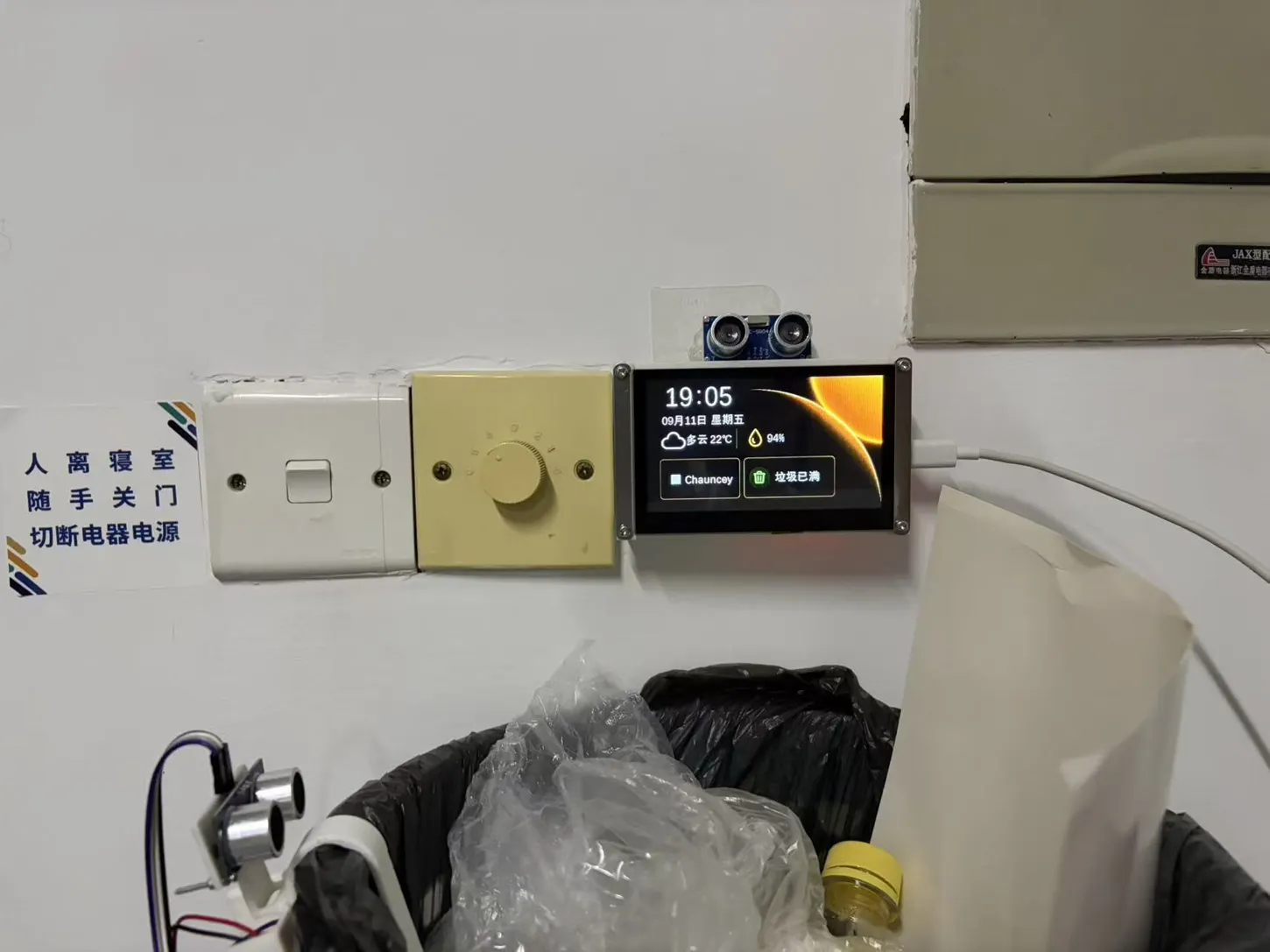
阅读项目文档 ↓寝室值日信息看板:(1)通过超声传感器检测垃圾桶是否已满,将相关信息通过 ESP-NOW 无线传输至看板端,自动显示并提醒值日生倒垃圾(再也不用担心我不好意思提醒室友倒垃圾了)(2)联网获取时间及天气信息,用于向寝室成员推送相关提醒
项目文档
暑期项目介绍
暑期项目介绍
项目概况
项目名称:寝室日常信息看板
mentor:汪琪峰
项目简介
作为一个日常看板,它能显示一些很日常的信息(
- 和传感器模块远程互联,计算距离显示垃圾桶有没有满,,以及值日生是谁,及时提醒懒惰的室友倒垃圾
- 连接wifi,利用NTP校时显示目前的时间、日期和星期信息
- 连接wifi,调用天气信息API,显示实时天气信息
- 检测有无人靠近,自动亮屏/息屏
后续经过面谈,觉得这个天气信息还不够准。在佳朔哥的建议下去学习了一个通过超声波测距反馈有无雨滴的测下雨装置,信息通过esp-now远程传输给看板,实现(应该是)最精准的下雨检测。但目前时间不够只完成了电路原理图的学习和设计,打板还没打出来
项目成长
硬件选型
MCU:ESP32S(显示屏端)/ESP32C(传感器端)
显示屏:4.3寸陶晶驰串口电容屏
传感器(测距用):HC-SR04超声传感器
> 最开始想用红外传感器测距,但调研后发现红外传感器测距会受到垃圾袋、玻璃瓶、塑料瓶等折射影响,最后选了超声传感器
>
>
嵌入式代码
- 显示屏端
C++
include <Arduino.h>
include <WiFi.h>
include <time.h>
include <esp_wifi.h>
include <esp_now.h>
include <HTTPClient.h>
include <WiFiClientSecure.h>
include <ArduinoJson.h>
include <LittleFS.h>
include <ESP32-targz.h>
// ==================== WiFi ====================
const char* ssid = "Chance07";
const char* password = "11335588";
// ==================== QWeather ====================
const char* host = "mg564wvdu3.re.qweatherapi.com";
const char* apiKey = "c47dede5ead644b2a232f27556e5da1b";
// 紫金港经纬度
const char* latitude = "30.30";
const char* longitude = "120.08";
// ==================== 设置 ====================
define TJC_RX 44
define TJC_TX 43
define ESPNOW_CHANNEL 1
// 屏幕时间:每30秒刷新
const unsigned long CLOCK_INTERVAL =
30UL * 1000UL;
// 联网:每10分钟
const unsigned long ONLINE_INTERVAL =
10UL * 60UL * 1000UL;
// HC-SR04引脚
const int echoPin = 4;
const int trigPin = 5;
// 自动息屏检测
bool screenOn = false;
unsigned long lastPersonDetected = 0;
const unsigned long SCREEN_ON_TIME = 90UL*1000UL; // 90秒
const float PERSON_DISTANCE = 100.0f; // 1米以内认为有人
C++
// ==================== 淘晶驰 ====================
HardwareSerial tjc(1);
void sendEnd()
{
tjc.write(0xFF);
tjc.write(0xFF);
tjc.write(0xFF);
}
void sendCmd(const String& cmd)
{
tjc.print(cmd);
sendEnd();
}
void sendASCII(
const char* obj,
const String& text
)
{
tjc.print(obj);
tjc.print(".txt="");
tjc.print(text);
tjc.print(""");
sendEnd();
}
void sendGBText(
const char* obj,
const uint8_t* text,
size_t len
)
{
tjc.print(obj);
tjc.print(".txt="");
tjc.write(text, len);
tjc.print(""");
sendEnd();
}
// ==================== GB2312 ====================
// 月
const uint8_t GB_MONTH[] = {
0xD4, 0xC2
};
// 日
const uint8_t GB_DAY[] = {
0xC8, 0xD5
};
// 星
const uint8_t GB_XING[] = {
0xD0, 0xC7
};
// 期
const uint8_t GB_QI[] = {
0xC6, 0xDA
};
// 日 一 二 三 四 五 六
const uint8_t WEEKDAY[7][2] = {
{0xC8, 0xD5},
{0xD2, 0xBB},
{0xB6, 0xFE},
{0xC8, 0xFD},
{0xCB, 0xC4},
{0xCE, 0xE5},
{0xC1, 0xF9}
};
// 垃圾未满
const uint8_t TXT_NOT_FULL[] = {
0xC0, 0xAC,
0xBB, 0xF8,
0xCE, 0xB4,
0xC2, 0xFA
};
// 垃圾已满
const uint8_t TXT_FULL[] = {
0xC0, 0xAC,
0xBB, 0xF8,
0xD2, 0xD1,
0xC2, 0xFA
};
// 晴
const uint8_t GB_QING[] = {
0xC7, 0xE7
};
// 多云
const uint8_t GB_DUOYUN[] = {
0xB6, 0xE0,
0xD4, 0xC6
};
// 阴
const uint8_t GB_YIN[] = {
0xD2, 0xF5
};
// 小雨
const uint8_t GB_XIAOYU[] = {
0xD0, 0xA1,
0xD3, 0xEA
};
// 中雨
const uint8_t GB_ZHONGYU[] = {
0xD6, 0xD0,
0xD3, 0xEA
};
// 大雨
const uint8_t GB_DAYU[] = {
0xB4, 0xF3,
0xD3, 0xEA
};
// ℃
const uint8_t GB_CELSIUS[] = {
0xA1, 0xE6
};
- 串口屏发送格式限制
例如发送文本需要
t1.txt="内容" 0xFF 0xFF 0xFF
- ESP发送的字库为UTF=8,串口屏显示的字库为GB2312,需要提前把要发的文字封装成GB2312的形式再发送,否则会乱码
C++
// ==================== 日期显示 ====================
void sendDate(const struct tm& t)
{
char month[3];
char day[3];
snprintf(
month,
sizeof(month),
"%02d",
t.tm_mon + 1
);
snprintf(
day,
sizeof(day),
"%02d",
t.tm_mday
);
// date.txt="08月28日 星期五"
tjc.print("date.txt="");
tjc.print(month);
tjc.write(
GB_MONTH,
sizeof(GB_MONTH)
);
tjc.print(day);
tjc.write(
GB_DAY,
sizeof(GB_DAY)
);
tjc.print(" ");
tjc.write(
GB_XING,
sizeof(GB_XING)
);
tjc.write(
GB_QI,
sizeof(GB_QI)
);
tjc.write(
WEEKDAY[t.tm_wday],
2
);
tjc.print(""");
sendEnd();
}
// ==================== 更新时间显示 ====================
void updateClock()
{
struct tm t;
// 这里只读取ESP32内部时钟
if (!getLocalTime(&t, 20))
return;
sendCmd(
"hour.val=" +
String(t.tm_hour)
);
sendCmd(
"min.val=" +
String(t.tm_min)
);
sendDate(t);
}
// ==================== NTP 校时 ====================
// 注意:调用这个函数前
// WiFi已经连接成功
bool syncTime()
{
// 北京时间
configTzTime(
"CST-8",
"ntp.aliyun.com",
"ntp1.aliyun.com",
"pool.ntp.org"
);
struct tm timeinfo;
unsigned long start =
millis();
while (
!getLocalTime(
&timeinfo,
1000
)
)
{
if (
millis() - start >
15000
)
{
return false;
}
}
return true;
}
- NTP校时,把实时的日期、星期、时间信息同步到ESP32中
- 日期显示,将实时天气发送给串口屏
C++
// ==================== ESP-NOW 数据 ====================
struct DataPacket
{
float distance1;
};
DataPacket receivedData;
volatile bool newData = false;
// ==================== ESP-NOW 接收 ====================
void onDataReceived(
const uint8_t* mac,
const uint8_t* incomingData,
int len
)
{
if (len != sizeof(DataPacket))
return;
memcpy(
&receivedData,
incomingData,
sizeof(DataPacket)
);
newData = true;
}
// ==================== 垃圾桶状态 ====================
void updateTrash(float distance)
{
if (distance > 25.0f)
{
sendGBText(
"t4",
TXT_NOT_FULL,
sizeof(TXT_NOT_FULL)
);
}
else
{
sendGBText(
"t4",
TXT_FULL,
sizeof(TXT_FULL)
);
}
}
// ==================== 初始化 ESP-NOW ====================
bool initEspNow()
{
WiFi.mode(WIFI_STA);
if (
esp_wifi_set_channel(
ESPNOW_CHANNEL,
WIFI_SECOND_CHAN_NONE
) != ESP_OK
)
{
return false;
}
if (esp_now_init() != ESP_OK)
{
return false;
}
esp_now_register_recv_cb(
onDataReceived
);
return true;
}
- 通过ESP-NOW无线传输方式接受传感器端发送来的数据包DataPacke
并用数据包中的距离数据判断垃圾桶情况
- ESP-NOW初始化的封装函数
启动WIFI模式并确定无线连接信道,注册回调函数
- ESP-NOW数据包接受的封装函数
Java
// ==================== 天气显示 ====================
void showWeather(int code)
{
if (code == 100)
{
sendGBText(
"weather",
GB_QING,
sizeof(GB_QING)
);
}
else if (
code >= 101 &&
code <= 103
)
{
sendGBText(
"weather",
GB_DUOYUN,
sizeof(GB_DUOYUN)
);
}
else if (code == 104)
{
sendGBText(
"weather",
GB_YIN,
sizeof(GB_YIN)
);
}
else if (
code >= 300 &&
code <= 305
)
{
sendGBText(
"weather",
GB_XIAOYU,
sizeof(GB_XIAOYU)
);
}
else if (code == 306)
{
sendGBText(
"weather",
GB_ZHONGYU,
sizeof(GB_ZHONGYU)
);
}
else
{
sendGBText(
"weather",
GB_DAYU,
sizeof(GB_DAYU)
);
}
}
// ==================== 温度显示 ====================
void showTemperature(
int temperature
)
{
tjc.print(
"temp.txt=""
);
tjc.print(
temperature
);
tjc.write(
GB_CELSIUS,
sizeof(GB_CELSIUS)
);
tjc.print(""");
sendEnd();
}
// ==================== 获取天气 ====================
// 注意:调用这个函数前
// WiFi已经连接成功
bool getWeather()
{
WiFiClientSecure client;
client.setInsecure();
HTTPClient http;
String url =
String(host) +
"/weather/v1/current/" +
latitude +
"/" +
longitude +
"?localTime=true&lang=zh";
if (
!http.begin(
client,
url
)
)
{
return false;
}
http.addHeader(
apiKey
);
// 和风天气返回gzip
http.addHeader(
"Accept-Encoding",
"gzip"
);
int httpCode =
http.GET();
if (httpCode != 200)
{
http.end();
return false;
}
// 删除上一次文件
LittleFS.remove(
"/weather.json"
);
// ====================
// Gzip解压
// ====================
GzUnpacker gzip;
bool gzipOK =
gzip.gzStreamExpander(
http.getStreamPtr(),
LittleFS,
"/weather.json"
);
if (!gzipOK)
{
http.end();
return false;
}
http.end();
// ====================
// 打开JSON文件
// ====================
File file =
LittleFS.open(
"/weather.json",
"r"
);
if (!file)
{
return false;
}
// ====================
// JSON解析
// ====================
JsonDocument doc;
DeserializationError error =
deserializeJson(
doc,
file
);
file.close();
if (error)
{
return false;
}
// ====================
// 提取数据
// ====================
int weatherCode =
doc["condition"]["code"]
.as<int>();
int temperature =
round(
doc["temperature"]["value"]
.as<float>()
);
int humidity =
round(
doc["humidity"]
.as<float>() *
100.0f
);
// ====================
// 发给淘晶驰
// ====================
showWeather(
weatherCode
);
delay(20);
showTemperature(
temperature
);
delay(20);
sendASCII(
"rh",
String(humidity) + "%"
);
return true;
}
- 通过调用API请求天气数据
- 将天气数据发送给串口屏
C++
// ==================== 连接 WiFi ====================
bool connectWiFi()
{
WiFi.mode(WIFI_STA);
WiFi.begin(
ssid,
password
);
unsigned long start =
millis();
while (
WiFi.status() !=
WL_CONNECTED
)
{
if (
millis() - start >
20000
)
{
WiFi.disconnect();
delay(300);
// 恢复ESP-NOW信道
esp_wifi_set_channel(
ESPNOW_CHANNEL,
WIFI_SECOND_CHAN_NONE
);
return false;
}
delay(200);
}
return true;
}
// ==================== 断开 WiFi ====================
void disconnectWiFi()
{
WiFi.disconnect();
delay(300);
// 回到ESP-NOW Channel 1
esp_wifi_set_channel(
ESPNOW_CHANNEL,
WIFI_SECOND_CHAN_NONE
);
}
// ==================== 联网更新 ====================
void updateOnlineData()
{
if (!connectWiFi())
{
return;
}
// WiFi刚连上后,给网络一点稳定时间
delay(2000);
// 1. NTP校时
if (syncTime())
{
updateClock();
}
// 2. 获取天气,失败就重试
bool weatherOK = false;
for (int i = 0; i < 3; i++)
{
if (getWeather())
{
weatherOK = true;
break;
}
// 请求失败后先等2秒再试
delay(2000);
}
// 3. 再多保留1秒,确保TJC命令发完
delay(1000);
// 4. 最后再断WiFi
disconnectWiFi();
}
- 连接WIFI的函数封装,处理WIFI和ESP-NOW两种无线通信方式的信道矛盾情况,实现自动切换信道
- 连接WIFI后自动调用之前的NTP校时和天气函数,更新时间和天气数据
JavaScript
// ==================== Setup ====================
void setup()
{
pinMode(trigPin, OUTPUT);
pinMode(echoPin, INPUT);
tjc.begin(
115200,
SERIAL_8N1,
TJC_RX,
TJC_TX
);
delay(1500);
sendCmd("dim=0");
// ====================
// LittleFS
// ====================
LittleFS.begin(true);
// ====================
// 开机先联网一次
//
// NTP + 天气
// ====================
updateOnlineData();
// ====================
// 初始化ESP-NOW
// ====================
initEspNow();
// ====================
// 定时器初始化
// ====================
lastClockUpdate =
millis();
lastOnlineUpdate =
millis();
}
- Setup
初始化引脚和串口屏串口
C++
// ==================== Loop ====================
void loop()
{
unsigned long now =
millis();
// ====================
// ESP-NOW垃圾桶数据
// ====================
if (newData)
{
float distance =
receivedData.distance1;
newData = false;
updateTrash(
distance
);
}
// ====================
// 每30秒刷新屏幕时间
//
// 只读取本地系统时钟
// 不联网
// ====================
if (
now - lastClockUpdate >=
CLOCK_INTERVAL
)
{
lastClockUpdate = now;
updateClock();
}
// ====================
// 每10分钟联网一次
//
// NTP校时
// +
// 获取天气
// ====================
if (
now - lastOnlineUpdate >=
ONLINE_INTERVAL
)
{
lastOnlineUpdate = now;
updateOnlineData();
}
delay(5);
//检测人
static unsigned long lastDistanceCheck = 0;
if (millis() - lastDistanceCheck >= 500)
{
lastDistanceCheck = millis();
float distance = getDistance();
// 1米以内认为有人靠近
if (distance < PERSON_DISTANCE)
{
lastPersonDetected = millis();
if (!screenOn)
{
sendCmd("dim=100");
screenOn = true;
}
}
}
// 90秒没有检测到人
if (
screenOn &&
millis() - lastPersonDetected >= SCREEN_ON_TIME
)
{
sendCmd("dim=0");
screenOn = false;
}
}
- Loop
持续刷新屏幕信息
持续判断有无人靠近控制亮屏息屏
C++
include <Arduino.h>
include <WiFi.h>
include <time.h>
include <esp_wifi.h>
include <esp_now.h>
include <HTTPClient.h>
include <WiFiClientSecure.h>
include <ArduinoJson.h>
include <LittleFS.h>
include <ESP32-targz.h>
// ==================== WiFi ====================
const char* ssid = "6079";
const char* password = "11335588";
// ==================== QWeather ====================
const char* host = "mg564wvdu3.re.qweatherapi.com";
const char* apiKey = "c47dede5ead644b2a232f27556e5da1b";
// 紫金港经纬度
const char* latitude = "30.30";
const char* longitude = "120.08";
// ==================== 设置 ====================
define TJC_RX 44
define TJC_TX 43
define ESPNOW_CHANNEL 1
// 屏幕时间:每30秒刷新
const unsigned long CLOCK_INTERVAL =
30UL * 1000UL;
// 联网:每10分钟
const unsigned long ONLINE_INTERVAL =
10UL * 60UL * 1000UL;
// HC-SR04引脚
const int echoPin = 4;
const int trigPin = 5;
// 自动息屏检测
bool screenOn = false;
unsigned long lastPersonDetected = 0;
const unsigned long SCREEN_ON_TIME = 90UL*1000UL; // 90秒
const float PERSON_DISTANCE = 100.0f; // 1米以内认为有人
// ==================== 淘晶驰 ====================
HardwareSerial tjc(1);
void sendEnd()
{
tjc.write(0xFF);
tjc.write(0xFF);
tjc.write(0xFF);
}
void sendCmd(const String& cmd)
{
tjc.print(cmd);
sendEnd();
}
void sendASCII(
const char* obj,
const String& text
)
{
tjc.print(obj);
tjc.print(".txt="");
tjc.print(text);
tjc.print(""");
sendEnd();
}
void sendGBText(
const char* obj,
const uint8_t* text,
size_t len
)
{
tjc.print(obj);
tjc.print(".txt="");
tjc.write(text, len);
tjc.print(""");
sendEnd();
}
// ==================== 距离检测 ===================
float getDistance()
{
digitalWrite(trigPin, LOW);
delayMicroseconds(2);
digitalWrite(trigPin, HIGH);
delayMicroseconds(10);
digitalWrite(trigPin, LOW);
long duration =
pulseIn(echoPin, HIGH, 30000);
if (duration == 0)
return 999;
return duration * 0.0343f / 2.0f;
}
// ==================== GB2312 ====================
// 月
const uint8_t GB_MONTH[] = {
0xD4, 0xC2
};
// 日
const uint8_t GB_DAY[] = {
0xC8, 0xD5
};
// 星
const uint8_t GB_XING[] = {
0xD0, 0xC7
};
// 期
const uint8_t GB_QI[] = {
0xC6, 0xDA
};
// 日 一 二 三 四 五 六
const uint8_t WEEKDAY[7][2] = {
{0xC8, 0xD5},
{0xD2, 0xBB},
{0xB6, 0xFE},
{0xC8, 0xFD},
{0xCB, 0xC4},
{0xCE, 0xE5},
{0xC1, 0xF9}
};
// 垃圾未满
const uint8_t TXT_NOT_FULL[] = {
0xC0, 0xAC,
0xBB, 0xF8,
0xCE, 0xB4,
0xC2, 0xFA
};
// 垃圾已满
const uint8_t TXT_FULL[] = {
0xC0, 0xAC,
0xBB, 0xF8,
0xD2, 0xD1,
0xC2, 0xFA
};
// 晴
const uint8_t GB_QING[] = {
0xC7, 0xE7
};
// 多云
const uint8_t GB_DUOYUN[] = {
0xB6, 0xE0,
0xD4, 0xC6
};
// 阴
const uint8_t GB_YIN[] = {
0xD2, 0xF5
};
// 小雨
const uint8_t GB_XIAOYU[] = {
0xD0, 0xA1,
0xD3, 0xEA
};
// 中雨
const uint8_t GB_ZHONGYU[] = {
0xD6, 0xD0,
0xD3, 0xEA
};
// 大雨
const uint8_t GB_DAYU[] = {
0xB4, 0xF3,
0xD3, 0xEA
};
// ℃
const uint8_t GB_CELSIUS[] = {
0xA1, 0xE6
};
// ==================== ESP-NOW 数据 ====================
struct DataPacket
{
float distance1;
};
DataPacket receivedData;
volatile bool newData = false;
// ==================== ESP-NOW 接收 ====================
void onDataReceived(
const uint8_t* mac,
const uint8_t* incomingData,
int len
)
{
if (len != sizeof(DataPacket))
return;
memcpy(
&receivedData,
incomingData,
sizeof(DataPacket)
);
newData = true;
}
// ==================== 垃圾桶状态 ====================
void updateTrash(float distance)
{
if (distance > 25.0f)
{
sendGBText(
"t4",
TXT_NOT_FULL,
sizeof(TXT_NOT_FULL)
);
}
else
{
sendGBText(
"t4",
TXT_FULL,
sizeof(TXT_FULL)
);
}
}
// ==================== 初始化 ESP-NOW ====================
bool initEspNow()
{
WiFi.mode(WIFI_STA);
if (
esp_wifi_set_channel(
ESPNOW_CHANNEL,
WIFI_SECOND_CHAN_NONE
) != ESP_OK
)
{
return false;
}
if (esp_now_init() != ESP_OK)
{
return false;
}
esp_now_register_recv_cb(
onDataReceived
);
return true;
}
// ==================== 日期显示 ====================
void sendDate(const struct tm& t)
{
char month[3];
char day[3];
snprintf(
month,
sizeof(month),
"%02d",
t.tm_mon + 1
);
snprintf(
day,
sizeof(day),
"%02d",
t.tm_mday
);
// date.txt="08月28日 星期五"
tjc.print("date.txt="");
tjc.print(month);
tjc.write(
GB_MONTH,
sizeof(GB_MONTH)
);
tjc.print(day);
tjc.write(
GB_DAY,
sizeof(GB_DAY)
);
tjc.print(" ");
tjc.write(
GB_XING,
sizeof(GB_XING)
);
tjc.write(
GB_QI,
sizeof(GB_QI)
);
tjc.write(
WEEKDAY[t.tm_wday],
2
);
tjc.print(""");
sendEnd();
}
// ==================== 更新时间显示 ====================
void updateClock()
{
struct tm t;
// 这里只读取ESP32内部时钟
if (!getLocalTime(&t, 20))
return;
sendCmd(
"hour.val=" +
String(t.tm_hour)
);
sendCmd(
"min.val=" +
String(t.tm_min)
);
sendDate(t);
}
// ==================== NTP 校时 ====================
// 注意:调用这个函数前
// WiFi已经连接成功
bool syncTime()
{
// 北京时间
configTzTime(
"CST-8",
"ntp.aliyun.com",
"ntp1.aliyun.com",
"pool.ntp.org"
);
struct tm timeinfo;
unsigned long start =
millis();
while (
!getLocalTime(
&timeinfo,
1000
)
)
{
if (
millis() - start >
15000
)
{
return false;
}
}
return true;
}
// ==================== 天气显示 ====================
void showWeather(int code)
{
if (code == 100)
{
sendGBText(
"weather",
GB_QING,
sizeof(GB_QING)
);
}
else if (
code >= 101 &&
code <= 103
)
{
sendGBText(
"weather",
GB_DUOYUN,
sizeof(GB_DUOYUN)
);
}
else if (code == 104)
{
sendGBText(
"weather",
GB_YIN,
sizeof(GB_YIN)
);
}
else if (
code >= 300 &&
code <= 305
)
{
sendGBText(
"weather",
GB_XIAOYU,
sizeof(GB_XIAOYU)
);
}
else if (code == 306)
{
sendGBText(
"weather",
GB_ZHONGYU,
sizeof(GB_ZHONGYU)
);
}
else
{
sendGBText(
"weather",
GB_DAYU,
sizeof(GB_DAYU)
);
}
}
// ==================== 温度显示 ====================
void showTemperature(
int temperature
)
{
tjc.print(
"temp.txt=""
);
tjc.print(
temperature
);
tjc.write(
GB_CELSIUS,
sizeof(GB_CELSIUS)
);
tjc.print(""");
sendEnd();
}
// ==================== 获取天气 ====================
// 注意:调用这个函数前
// WiFi已经连接成功
bool getWeather()
{
WiFiClientSecure client;
client.setInsecure();
HTTPClient http;
String url =
String(host) +
"/weather/v1/current/" +
latitude +
"/" +
longitude +
"?localTime=true&lang=zh";
if (
!http.begin(
client,
url
)
)
{
return false;
}
http.addHeader(
apiKey
);
// 和风天气返回gzip
http.addHeader(
"Accept-Encoding",
"gzip"
);
int httpCode =
http.GET();
if (httpCode != 200)
{
http.end();
return false;
}
// 删除上一次文件
LittleFS.remove(
"/weather.json"
);
// ====================
// Gzip解压
// ====================
GzUnpacker gzip;
bool gzipOK =
gzip.gzStreamExpander(
http.getStreamPtr(),
LittleFS,
"/weather.json"
);
if (!gzipOK)
{
http.end();
return false;
}
http.end();
// ====================
// 打开JSON文件
// ====================
File file =
LittleFS.open(
"/weather.json",
"r"
);
if (!file)
{
return false;
}
// ====================
// JSON解析
// ====================
JsonDocument doc;
DeserializationError error =
deserializeJson(
doc,
file
);
file.close();
if (error)
{
return false;
}
// ====================
// 提取数据
// ====================
int weatherCode =
doc["condition"]["code"]
.as<int>();
int temperature =
round(
doc["temperature"]["value"]
.as<float>()
);
int humidity =
round(
doc["humidity"]
.as<float>() *
100.0f
);
// ====================
// 发给淘晶驰
// ====================
showWeather(
weatherCode
);
delay(20);
showTemperature(
temperature
);
delay(20);
sendASCII(
"rh",
String(humidity) + "%"
);
return true;
}
// ==================== 连接 WiFi ====================
bool connectWiFi()
{
WiFi.mode(WIFI_STA);
WiFi.begin(
ssid,
password
);
unsigned long start =
millis();
while (
WiFi.status() !=
WL_CONNECTED
)
{
if (
millis() - start >
20000
)
{
WiFi.disconnect();
delay(300);
// 恢复ESP-NOW信道
esp_wifi_set_channel(
ESPNOW_CHANNEL,
WIFI_SECOND_CHAN_NONE
);
return false;
}
delay(200);
}
return true;
}
// ==================== 断开 WiFi ====================
void disconnectWiFi()
{
WiFi.disconnect();
delay(300);
// 回到ESP-NOW Channel 1
esp_wifi_set_channel(
ESPNOW_CHANNEL,
WIFI_SECOND_CHAN_NONE
);
}
// ==================== 联网更新 ====================
void updateOnlineData()
{
if (!connectWiFi())
{
return;
}
// WiFi刚连上后,给网络一点稳定时间
delay(2000);
// 1. NTP校时
if (syncTime())
{
updateClock();
}
// 2. 获取天气,失败就重试
bool weatherOK = false;
for (int i = 0; i < 3; i++)
{
if (getWeather())
{
weatherOK = true;
break;
}
// 请求失败后先等2秒再试
delay(2000);
}
// 3. 再多保留1秒,确保TJC命令发完
delay(1000);
// 4. 最后再断WiFi
disconnectWiFi();
}
// ==================== 定时变量 ====================
unsigned long lastClockUpdate = 0;
unsigned long lastOnlineUpdate = 0;
// ==================== Setup ====================
void setup()
{
pinMode(trigPin, OUTPUT);
pinMode(echoPin, INPUT);
tjc.begin(
115200,
SERIAL_8N1,
TJC_RX,
TJC_TX
);
delay(1500);
sendCmd("dim=0");
// ====================
// LittleFS
// ====================
LittleFS.begin(true);
// ====================
// 开机先联网一次
//
// NTP + 天气
// ====================
updateOnlineData();
// ====================
// 初始化ESP-NOW
// ====================
initEspNow();
// ====================
// 定时器初始化
// ====================
lastClockUpdate =
millis();
lastOnlineUpdate =
millis();
}
// ==================== Loop ====================
void loop()
{
unsigned long now =
millis();
// ====================
// ESP-NOW垃圾桶数据
// ====================
if (newData)
{
float distance =
receivedData.distance1;
newData = false;
updateTrash(
distance
);
}
// ====================
// 每30秒刷新屏幕时间
//
// 只读取本地系统时钟
// 不联网
// ====================
if (
now - lastClockUpdate >=
CLOCK_INTERVAL
)
{
lastClockUpdate = now;
updateClock();
}
// ====================
// 每10分钟联网一次
//
// NTP校时
// +
// 获取天气
// ====================
if (
now - lastOnlineUpdate >=
ONLINE_INTERVAL
)
{
lastOnlineUpdate = now;
updateOnlineData();
}
delay(5);
//检测人
static unsigned long lastDistanceCheck = 0;
if (millis() - lastDistanceCheck >= 500)
{
lastDistanceCheck = millis();
float distance = getDistance();
// 1米以内认为有人靠近
if (distance < PERSON_DISTANCE)
{
lastPersonDetected = millis();
if (!screenOn)
{
sendCmd("dim=100");
screenOn = true;
}
}
}
// 90秒没有检测到人
if (
screenOn &&
millis() - lastPersonDetected >= SCREEN_ON_TIME
)
{
sendCmd("dim=0");
screenOn = false;
}
}
电路原理图
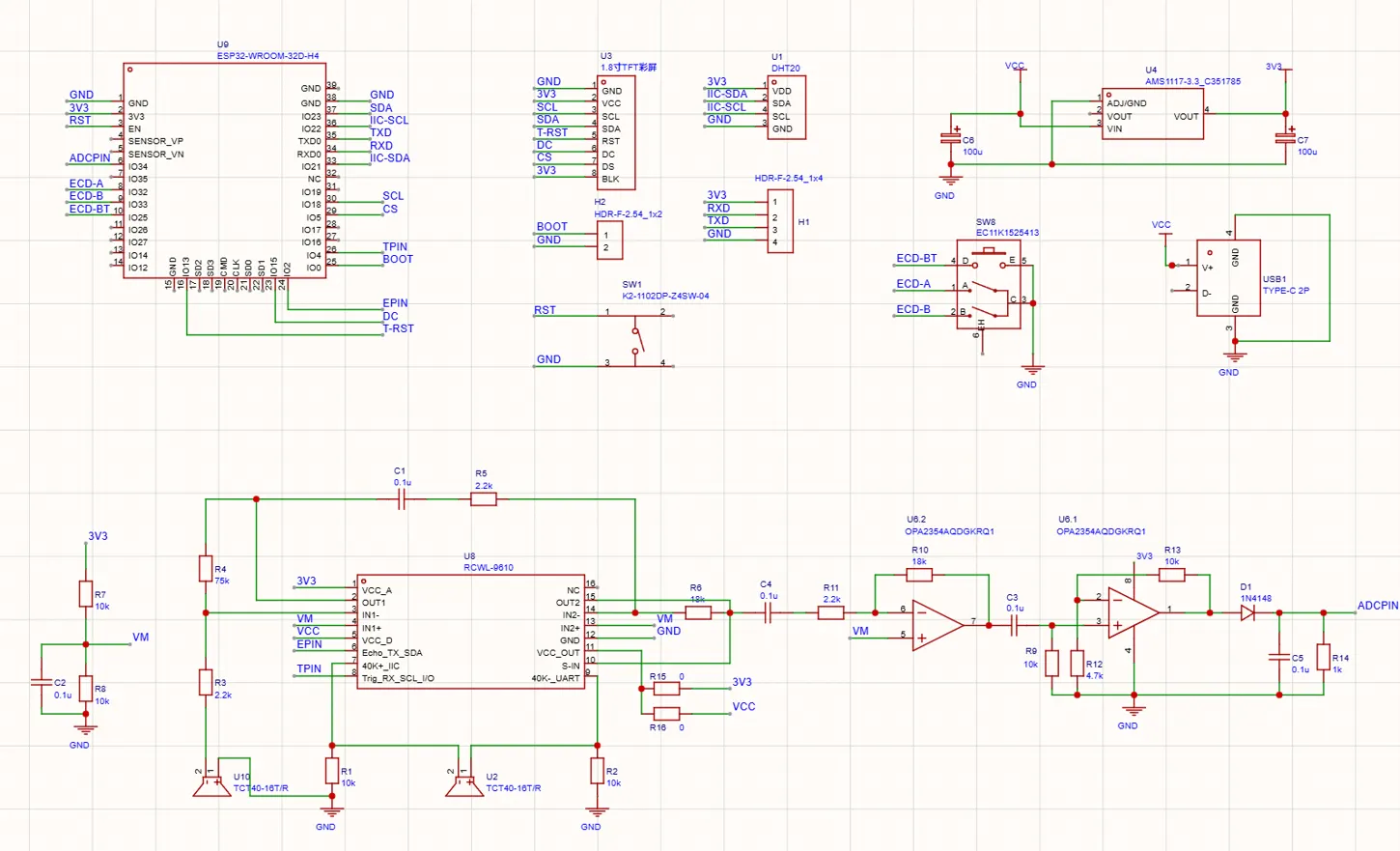
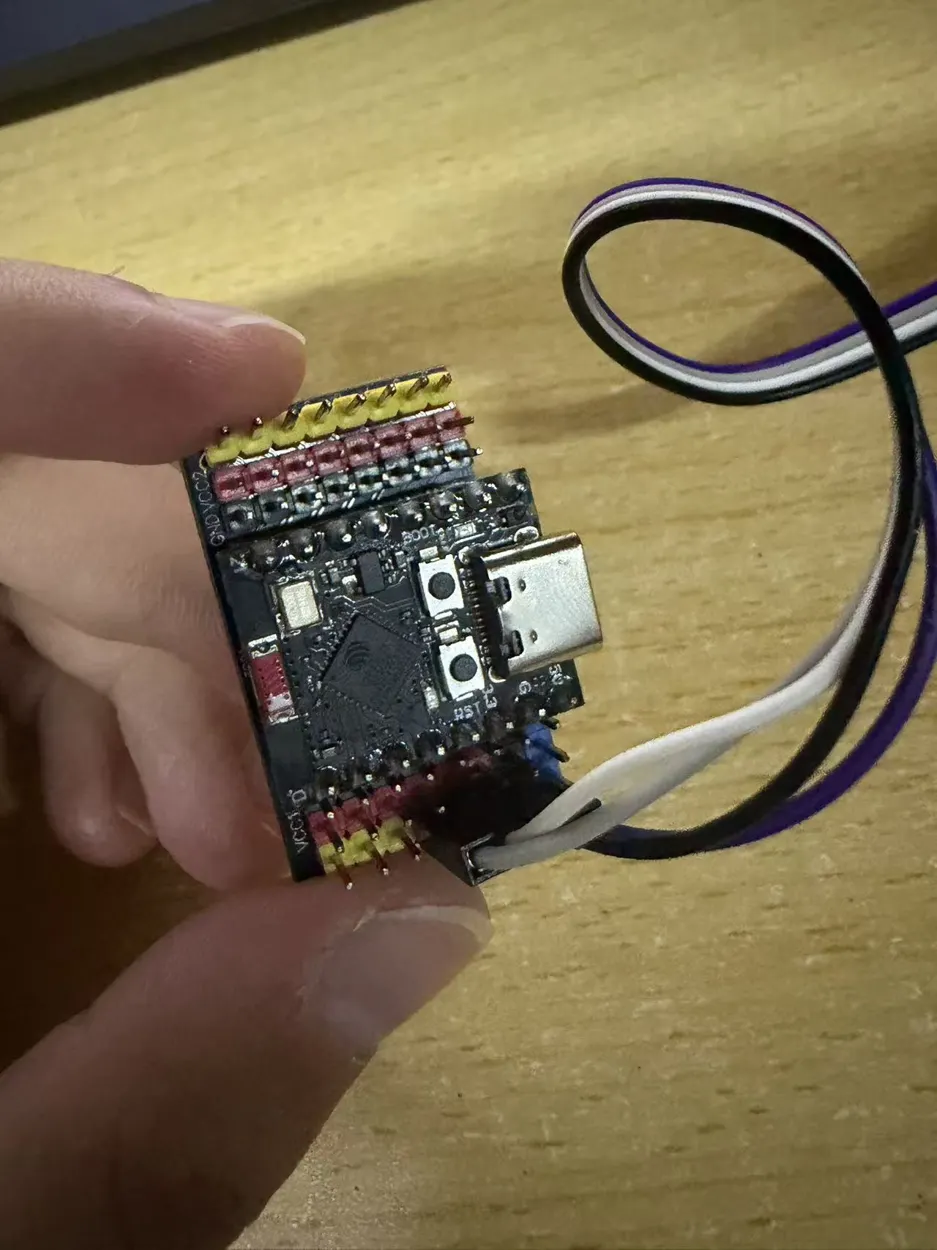
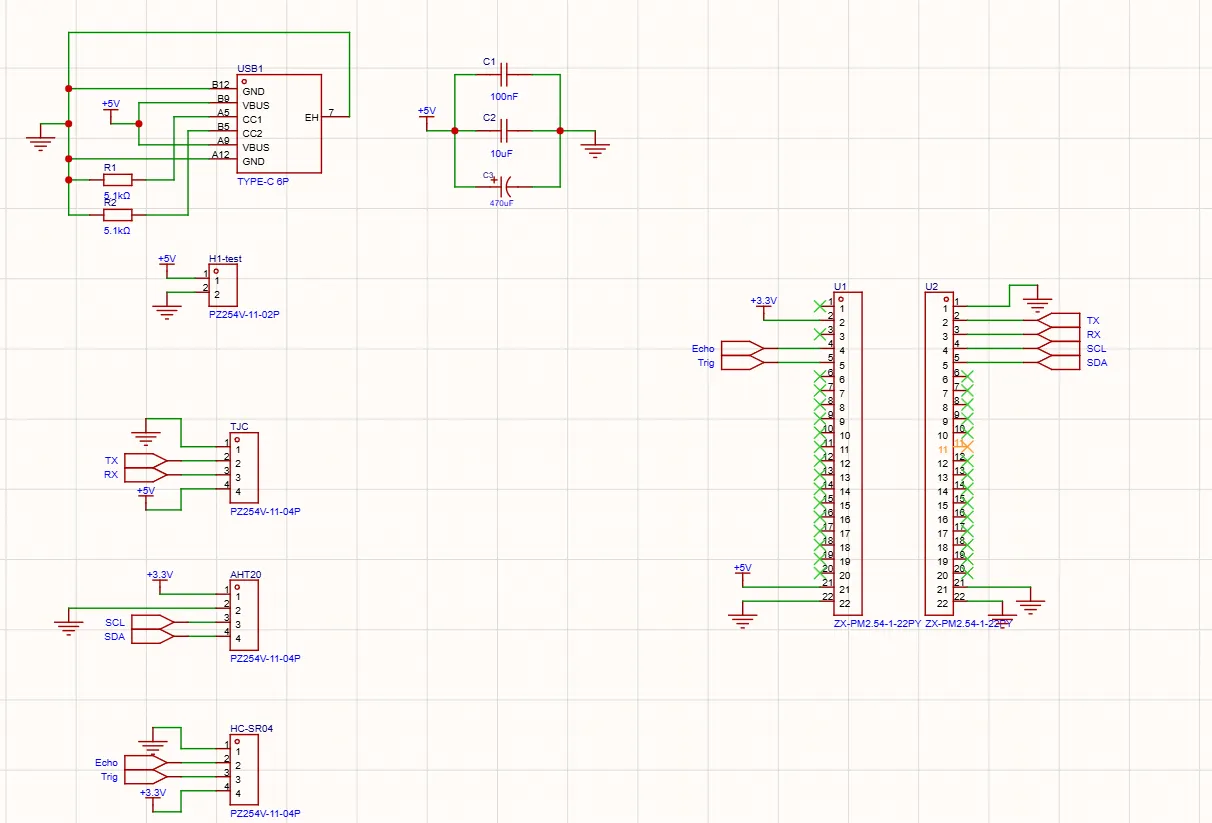
1. 看板模块电路图比较简单,只有USB电源模块,以及给串口屏和超声传感器预留的接口
2. 后续又增加了测量下雨模块(暂且这样叫)
主控模块:ESP32-WROOM-32D
超声波收发模块:RCWL-9610 + TCT40-16T/R
使用 40 kHz 超声波换能器进行信号发射和接收,RCWL-9610 用于超声波收发控制,与 ESP32 通过 Trigger/Echo 或 I²C 等信号进行通信,负责测距(测有无雨滴落下)
模拟回波处理模块:OPA2354 双运放
接收到的超声波回波通常幅度较小,尤其是雨点这种不强的反射体,因此通过运算放大器及周围的电阻、电容网络进行交流耦合、放大和滤波,之后经过二极管及 RC 网络进行进一步信号处理
显示与环境检测模块
配置了一块 1.8 英寸 TFT 屏幕,用于显示测距结果、波形或系统状态;同时使用 DHT20 温湿度传感器,通过 I²C 与 ESP32 通信,可获取环境温湿度,并可进一步用于超声波声速补偿,提高测距精度。
人机交互与接口模块
使用旋转编码器及按键实现参数调节、菜单切换等操作,并预留 UART 接口方便串口调试和程序下载。
电源模块
通过 USB Type-C 输入电源,经过 AMS1117-3.3 稳压得到 3.3 V,为 ESP32、传感器和外围数字电路供电,并配置滤波电容保证电源稳定。
机械结构
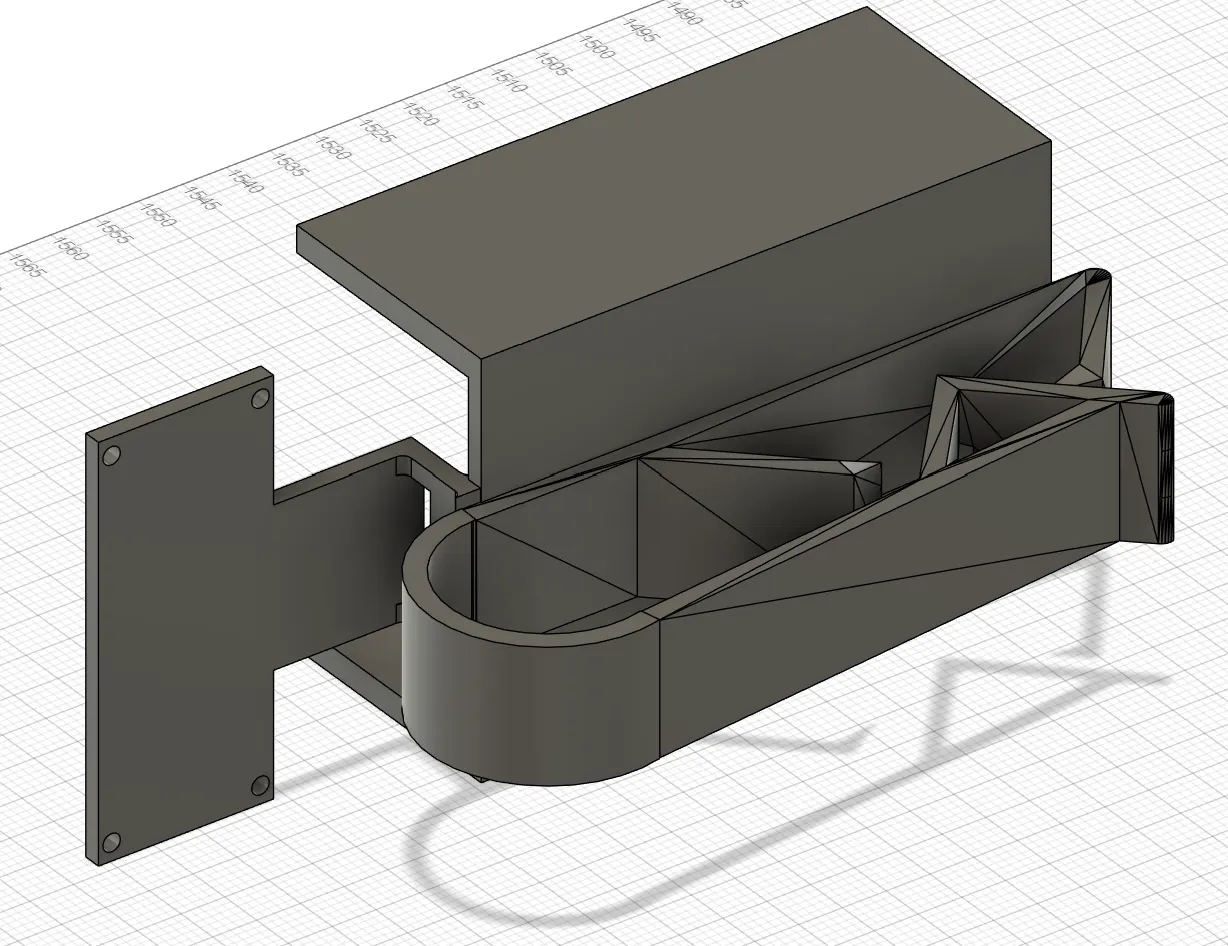
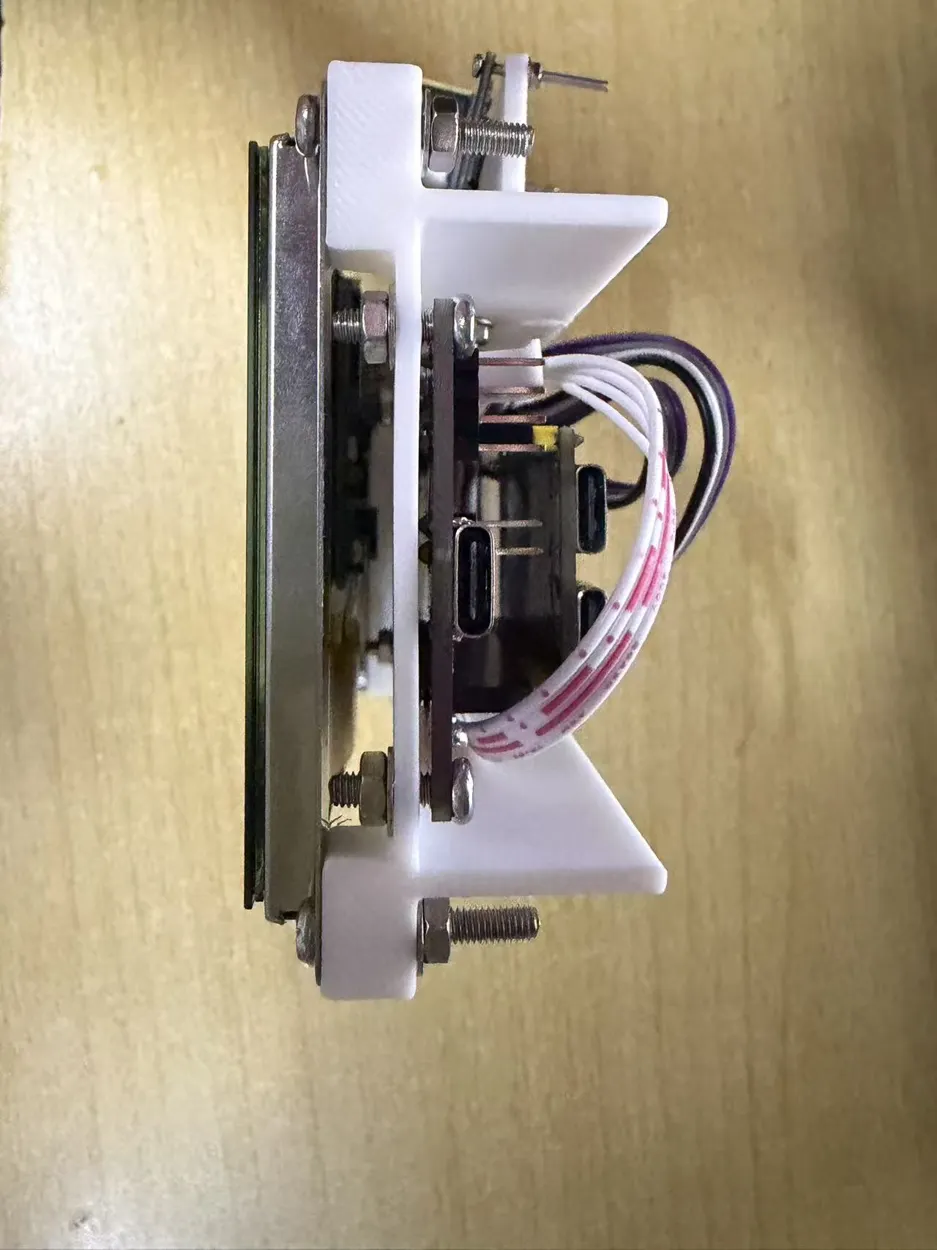
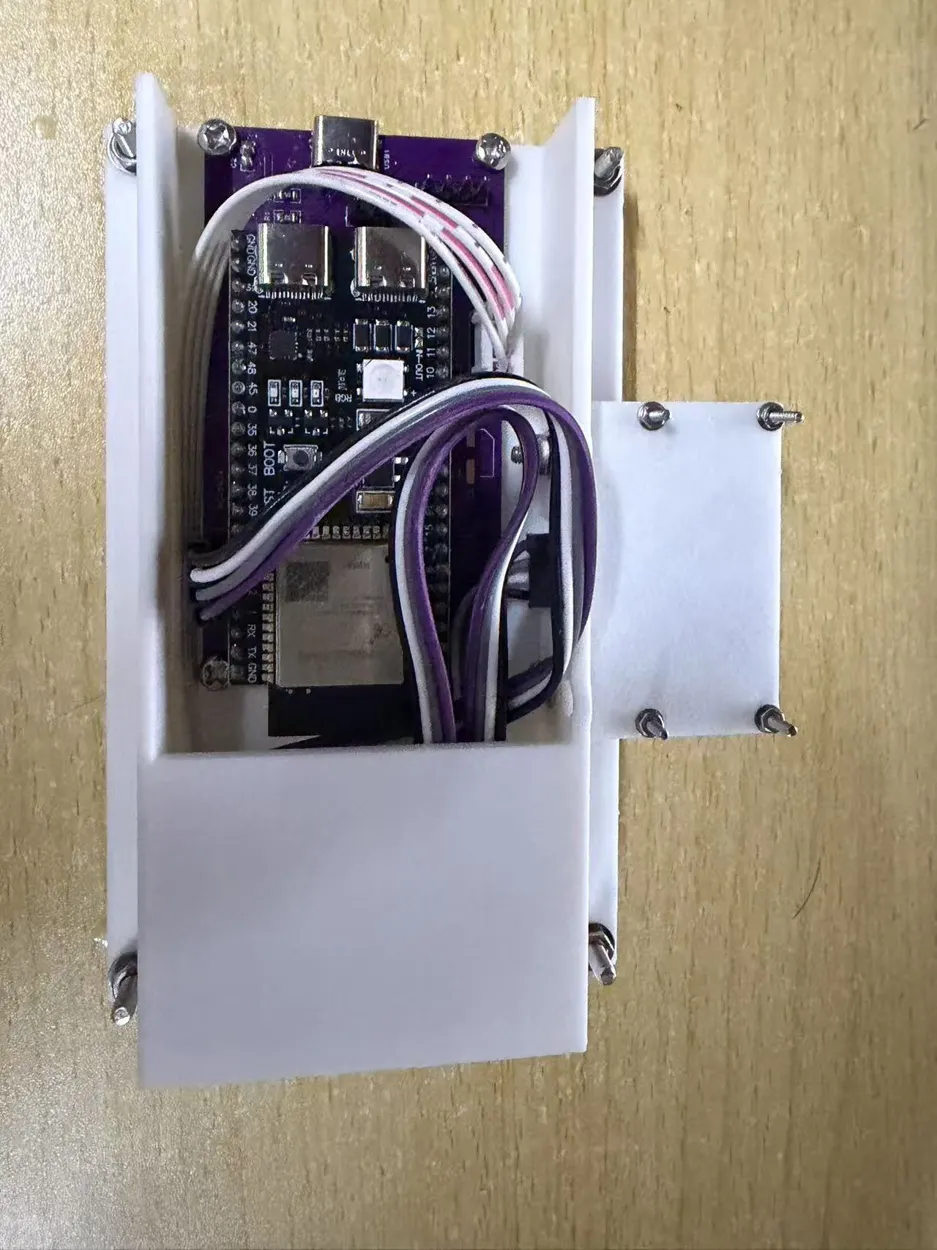
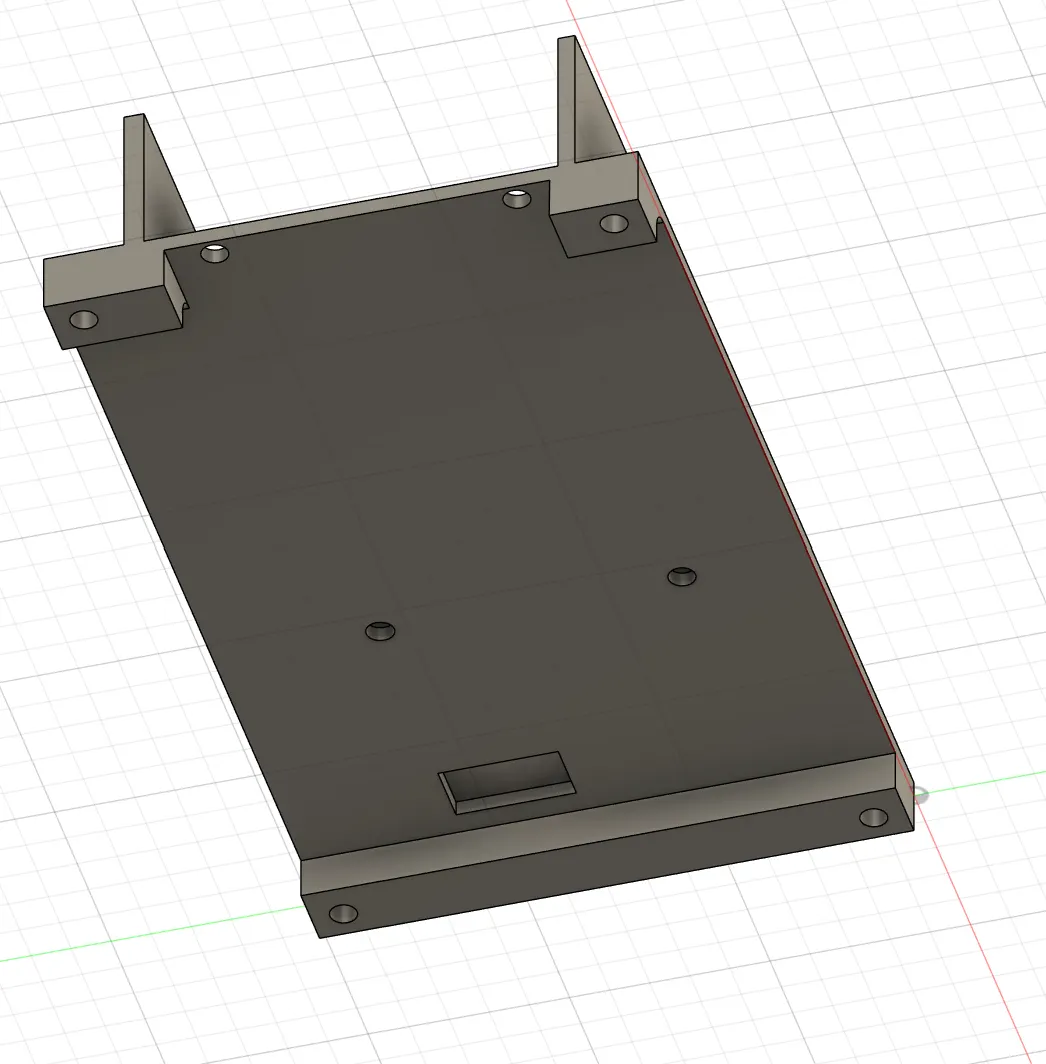
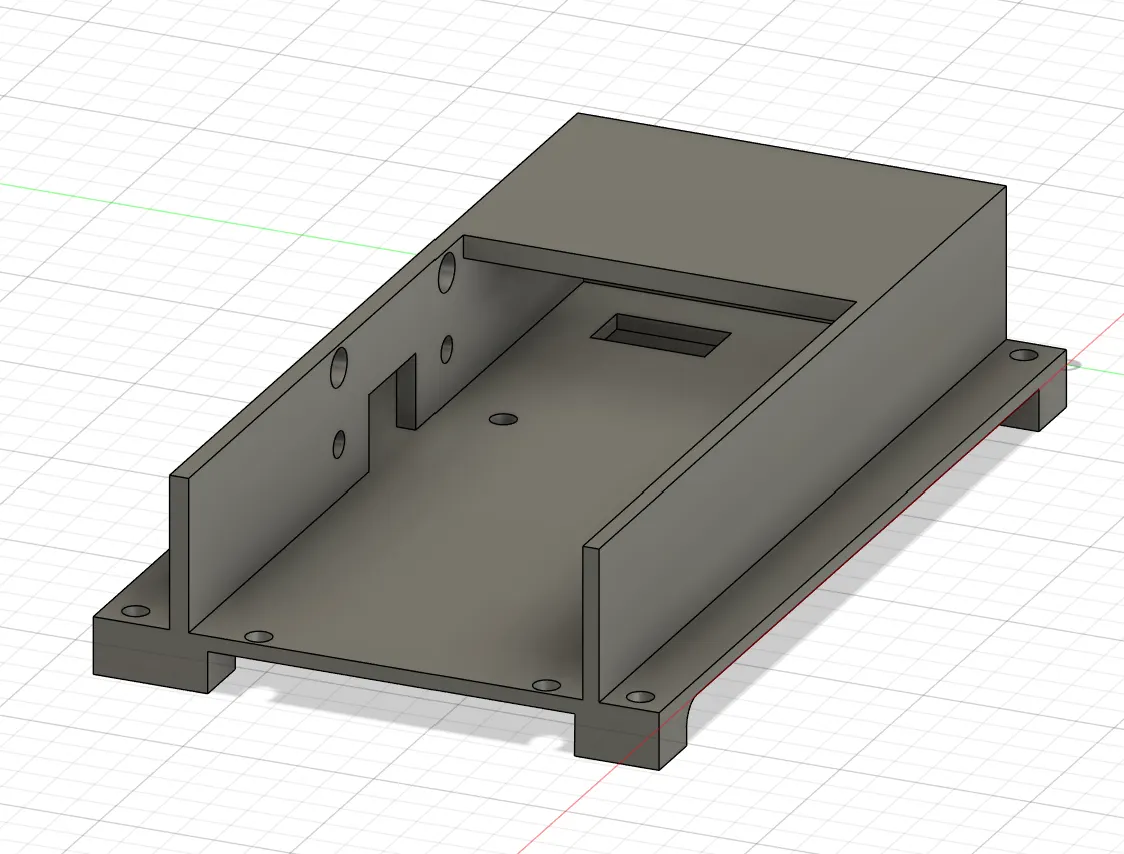
PCB安装外壳
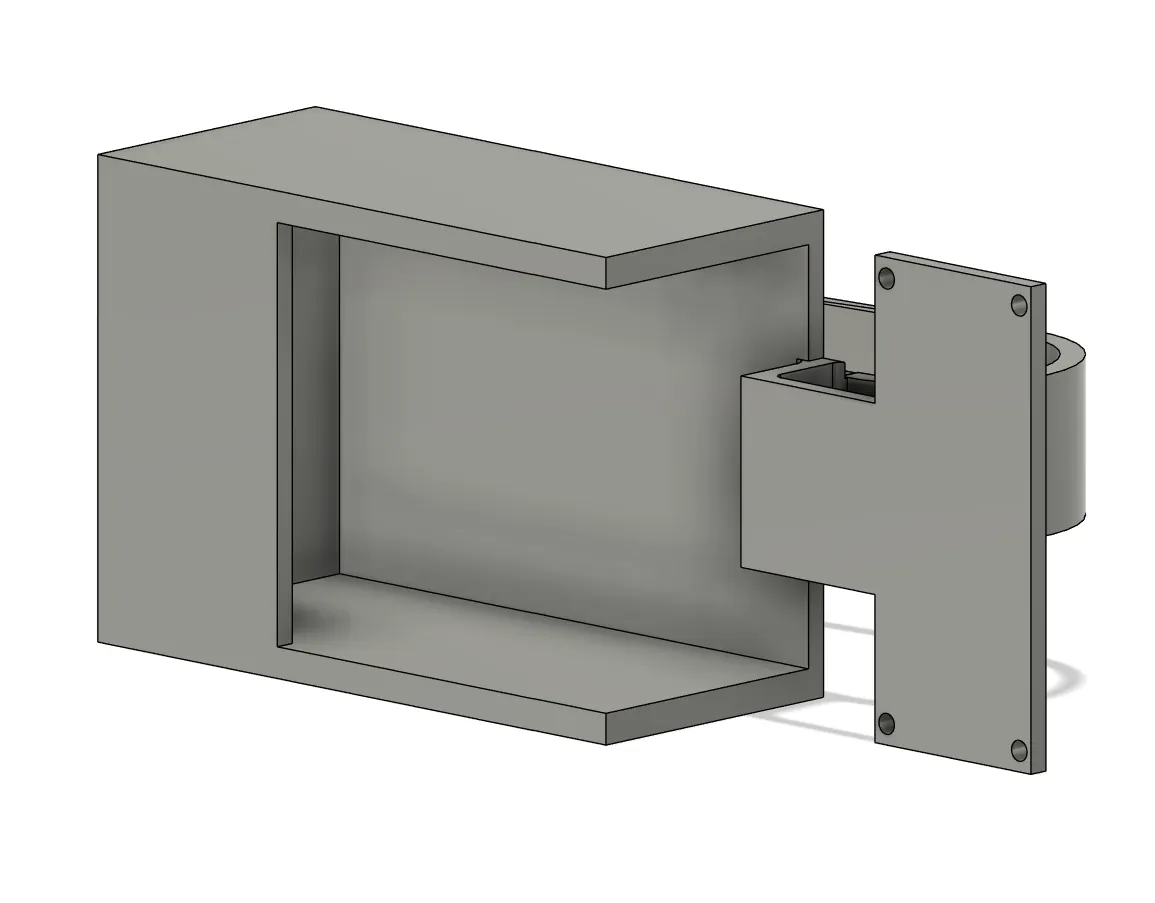
传感器挂壳
调试与迭代过程
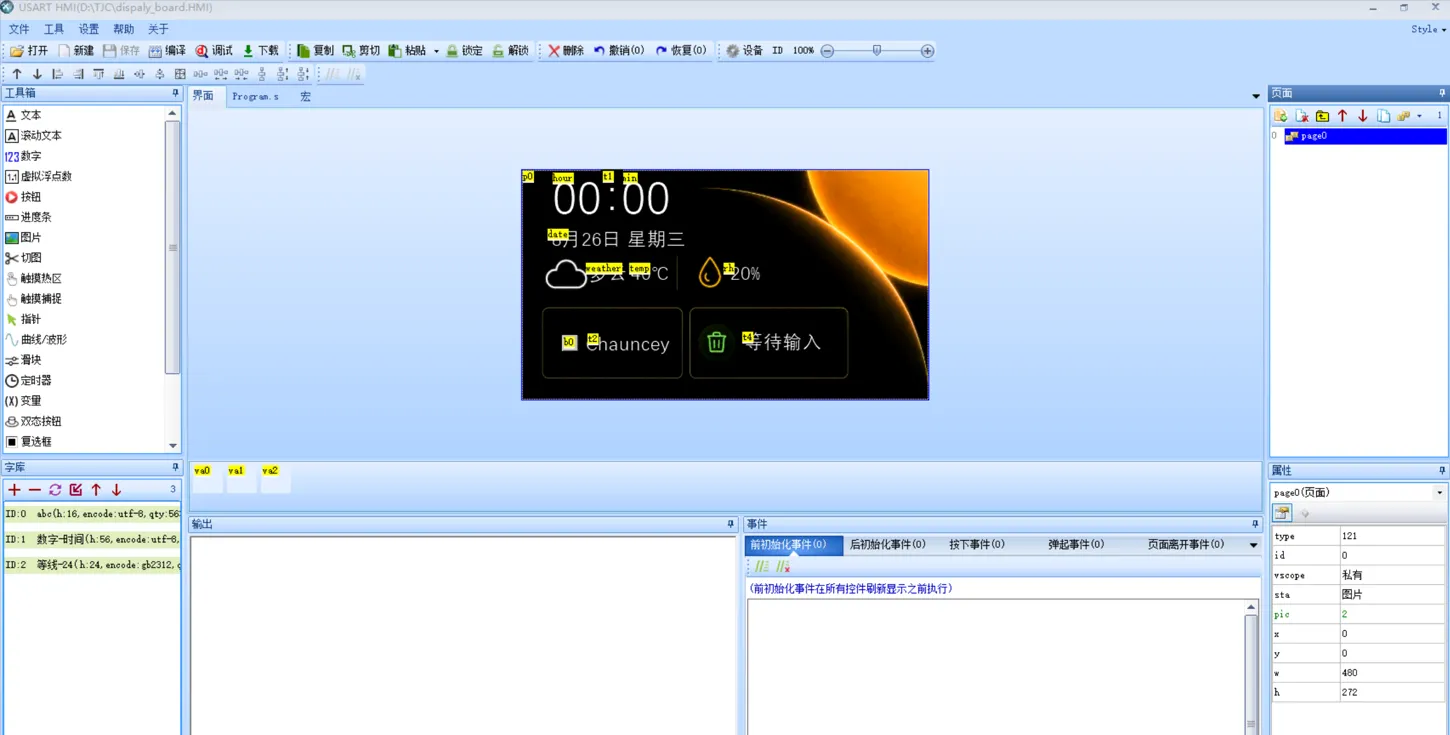
串口屏连接调试和界面设计
1. 开始加了很多花里胡哨的控件,最后发现要漂亮实现项目功能只需要用到文本控件、触摸控件以及给串口屏发送文本信息的几个模块内容
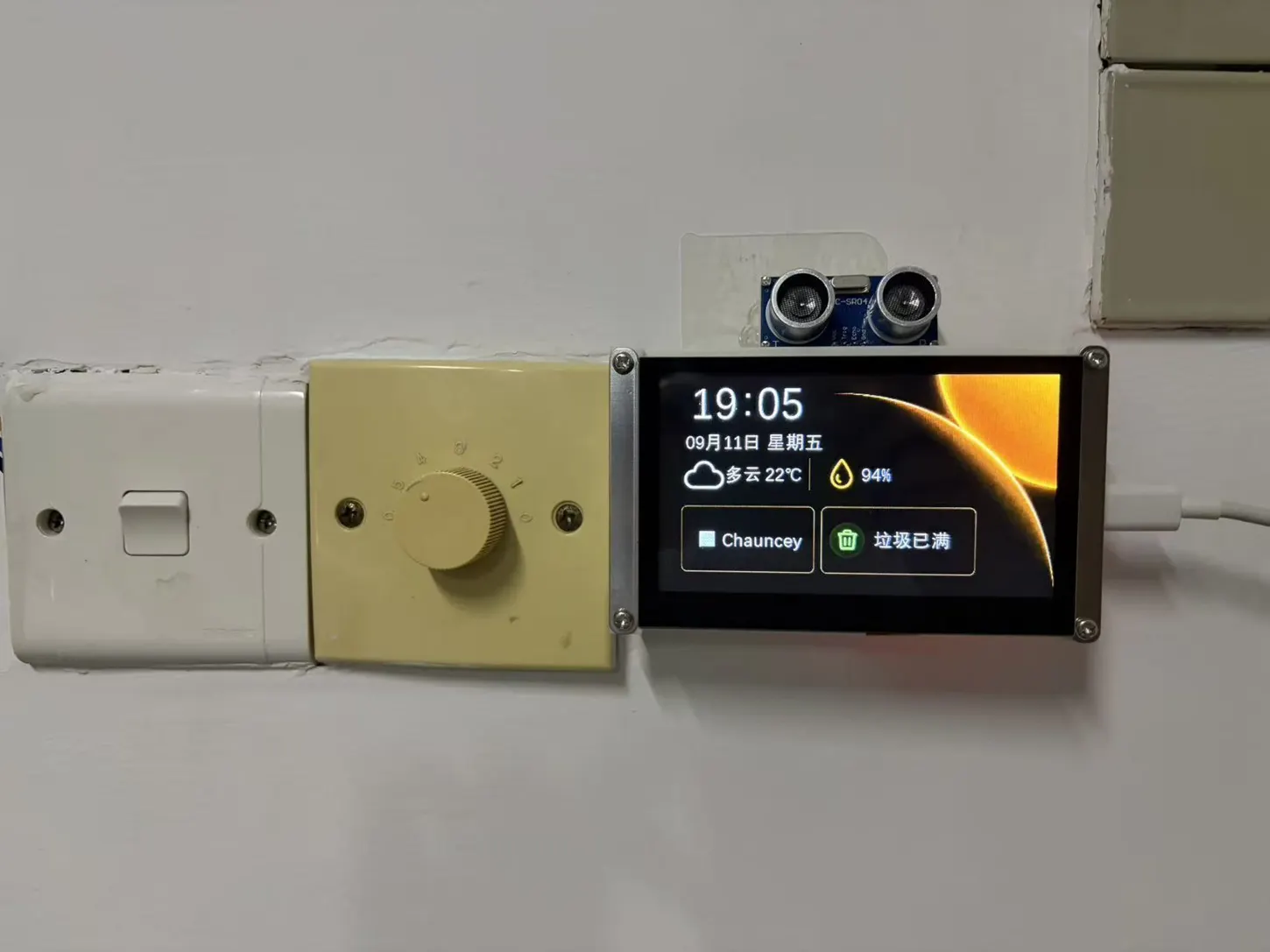
2. 界面设计的调试最终效果
3. 在串口屏连接过程中开始会出现乱码,后来问ai可能的原因,最终发现是vscode发送utf8而串口屏接受gb2313导致字库不匹配,所以后续专门增添了字库转换的嵌入式代码
ESP-NOW调试
1. 调试esp的mac地址,确认信道
2. 完成测试代码的撰写,主要包括esp-now初始化和传感器数据传输
3. 完成无线通信,实现测得近距离显示垃圾满,测得远距离显示垃圾不满
4. 直接用usb线连接esp32供电,经常esp-now会传输失败
后来发现usb的一面是稳定传输,换一面插就不稳定了,觉得是供电原因,因此重新使用了一个供电板,还搭配了电池接口,实现稳定5V供电
WIFI连接
ESP32芯片本身可以联网,但如果想放在寝室里只能连校园网。但校园网不存在ssid+password直连的情况,一开始都用热点进行调试
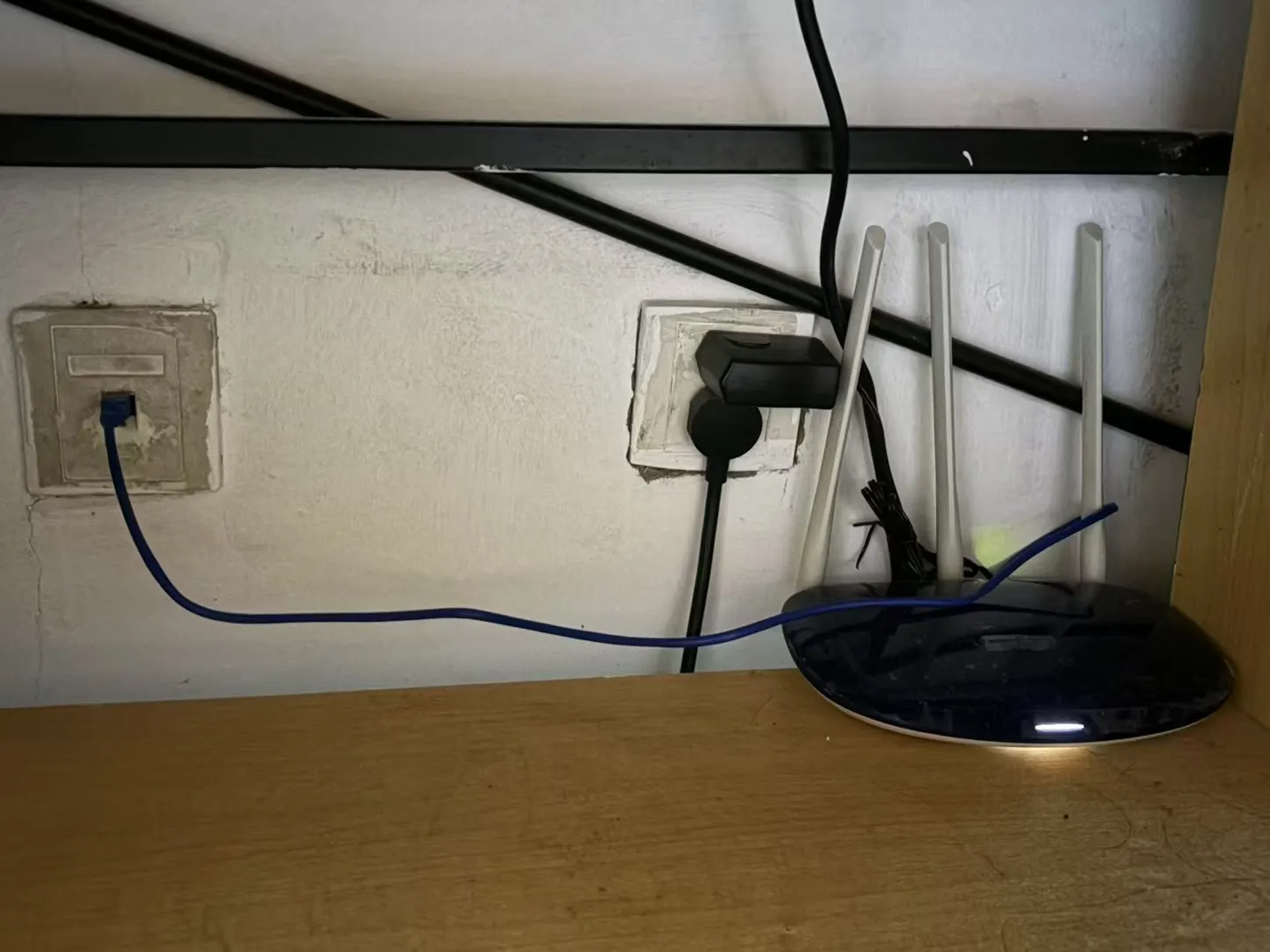
在和mentor沟通后选择尝试用网线接个路由器
天气信息源
开始是想直接爬取网上天气预报的西湖区天气,但是范围实在太大导致天气一点也不精确。后来在网上搜个人天气预报diy,有专门的公司做精确经纬度天气信息的供给,所以采取了调用api的方式请求紫金港这块区域的天气情况
但紫金港实在太大了,有时候还是不准,尤其是下不下雨这块
后续还打算优化制作出测量下雨的装置,给出稳定的信息源
最终效果
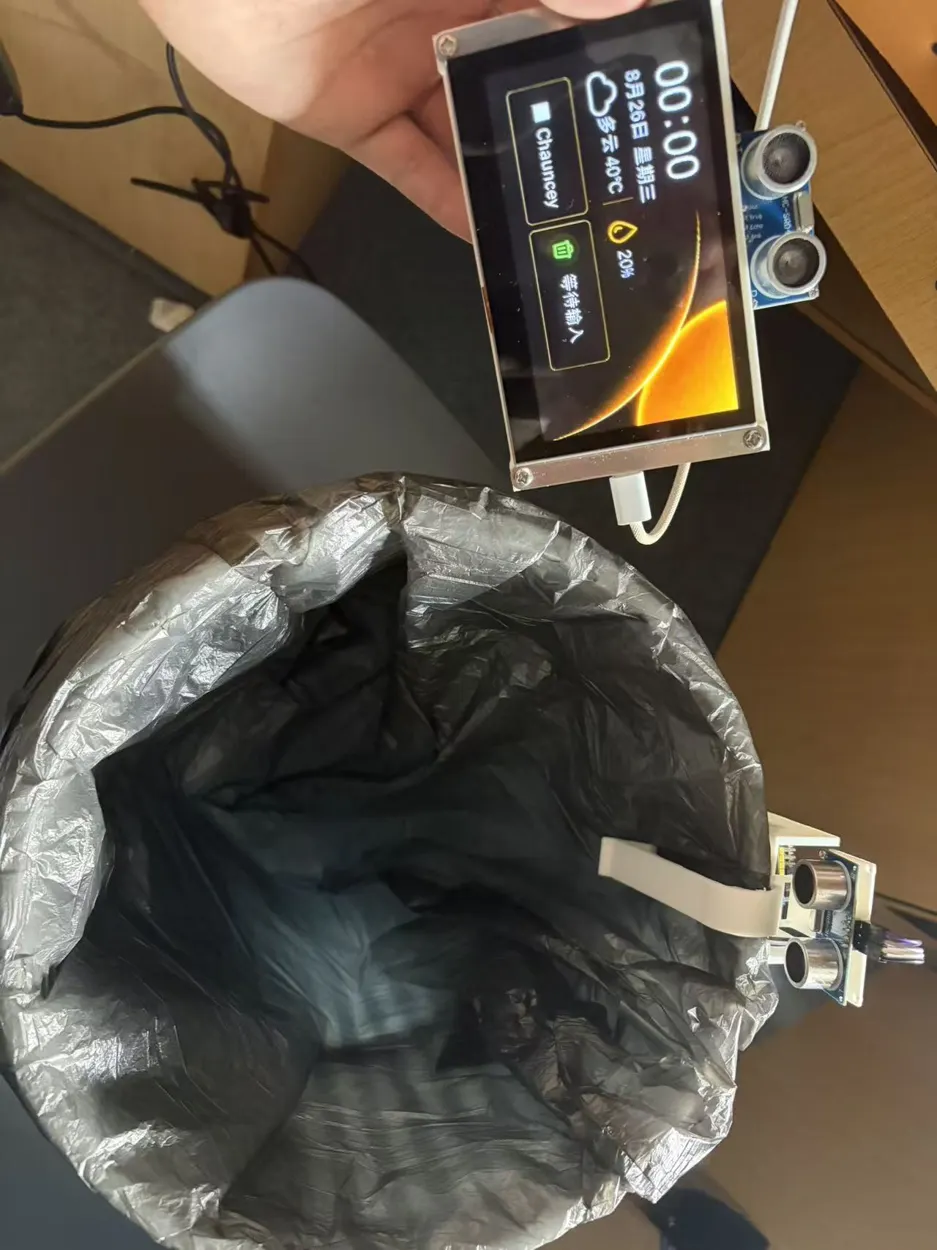
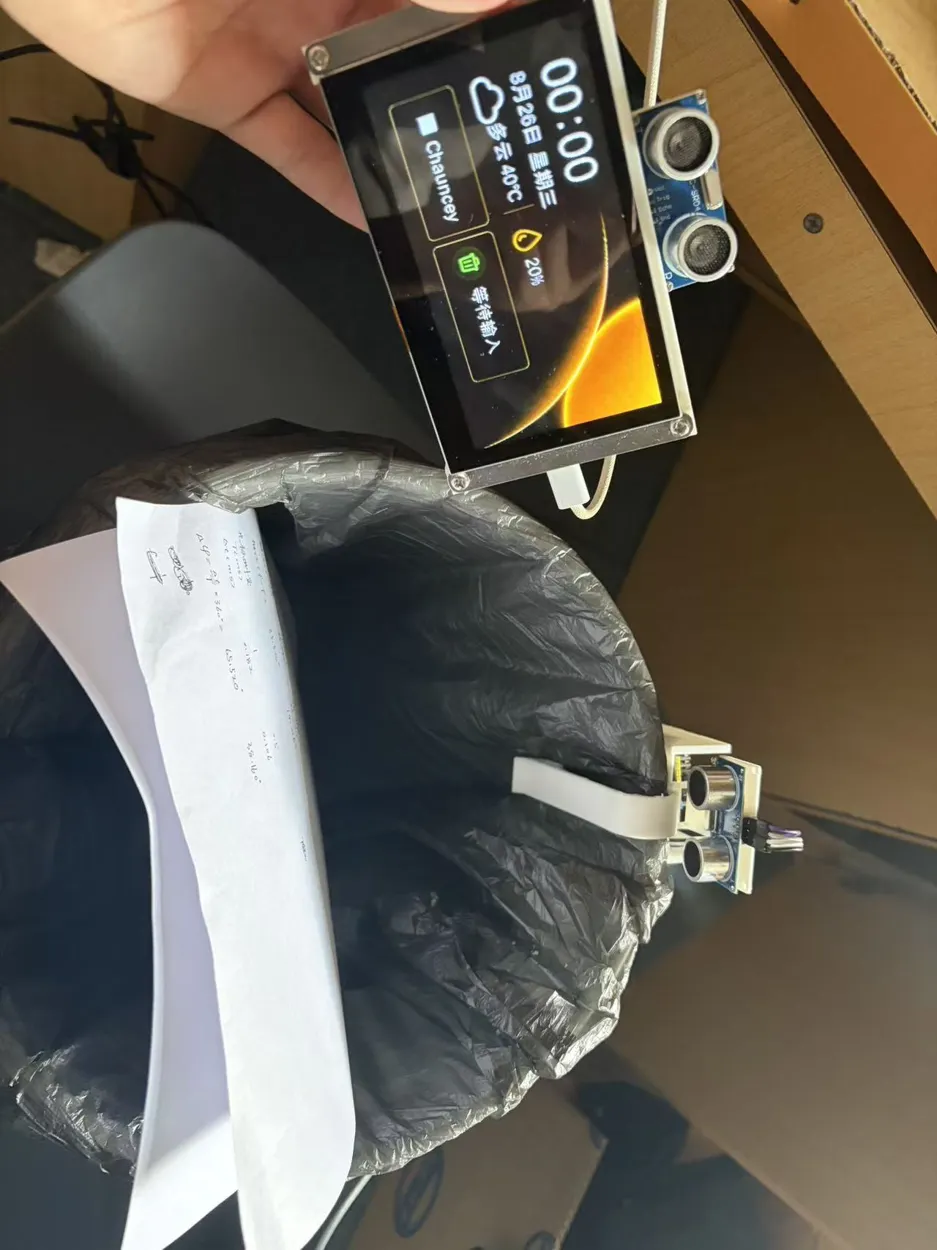
传感器向上则测得远距离变垃圾未满,向下则近距离垃圾已满
同时显示时间、天气等信息
求了AI的部分
1. UTF8转GB的字库,直接让ai生成了,比自己一个字一个字找过去效率高
2. 调用天气api,因为后续涉及到特定的json正则解析等,需要对数据多次处理,所以直接让ai完成
3. 在遇到esp-now传输不稳定、乱码等错误时,会求助ai给出最可能的错误原因以及排查方案
4. 一些串口屏和传感器的选型,让ai先推荐几个比较优缺点,自己再去搜索敲定选型
5. 连接wifi的部分都是ai生成的,因为是固定程序就不再重复做了
6. 代码最终格式的整理,帮助我把一坨石山整理成赏心悦目的分模块内容,有的地方还贴心的给我标上没写的标注(这个实在太爽了
剩下的涉及到串口屏连接传输、esp-now的传输等等,这些闭源性强点的内容gpt就写的很烂或者干脆乱写,都需要自己学完之后在慢慢写
团队项目说明
传感器前未检测到东西时,看板显示“垃圾未满”;检测到垃圾时,说明垃圾高度快超出垃圾桶,显示“垃圾已满”。可以放入A4纸或用手遮挡来模拟情景。
(图片只是对到时候大概样子的说明,不用放到介绍里。展示实物+以上文字流程介绍就可以)